Follow a product from the spreadsheet to the Ootdbuy warehouse and onward to your address.
1
Find and open a product in the spreadsheet
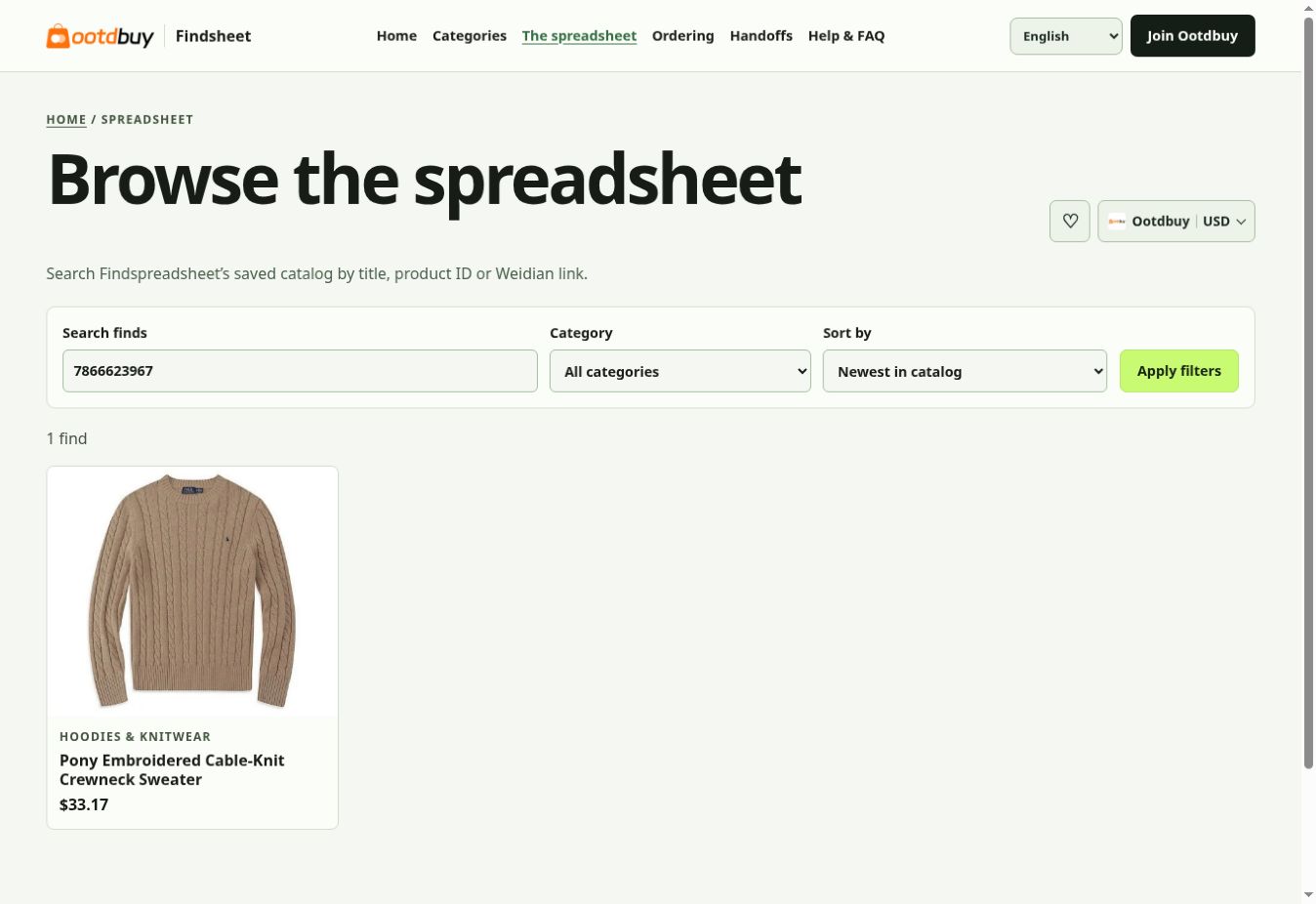
Start with a product name, a Weidian item ID or the item link. Check the product ID on the result before opening its detail page, especially when similar listings have different sellers or variants.
Findsheet spreadsheet search with the example item ID.
2
Review the Findsheet detail and choose an agent
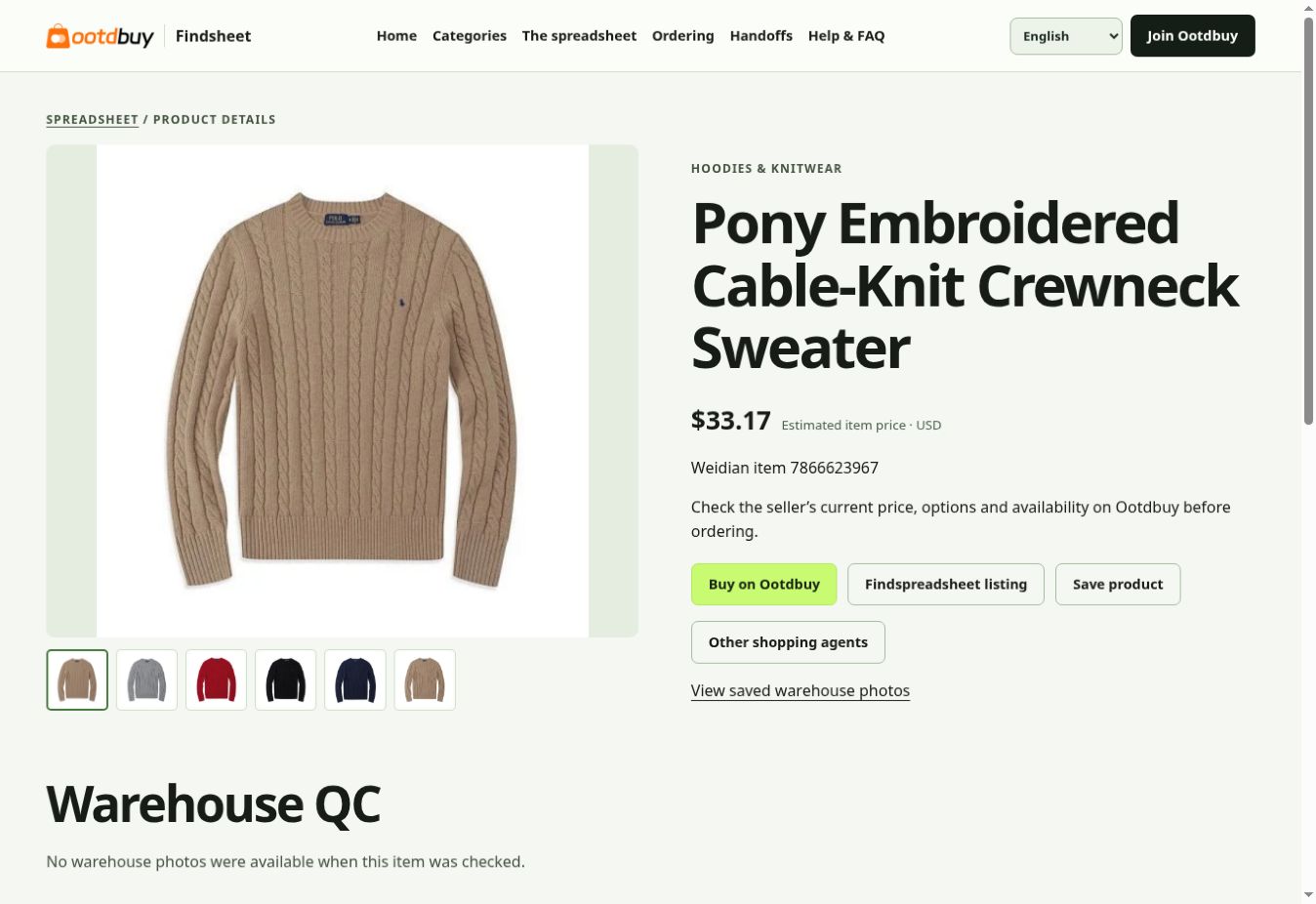
Review the seller gallery, reference price and any saved QC on the product page. Buy on Ootdbuy opens the same Weidian ID on Ootdbuy. Use Other shopping agents if you intend to place the order elsewhere.
Live Findsheet product page, showing photos and the Ootdbuy button.
3
Confirm the variant on Ootdbuy
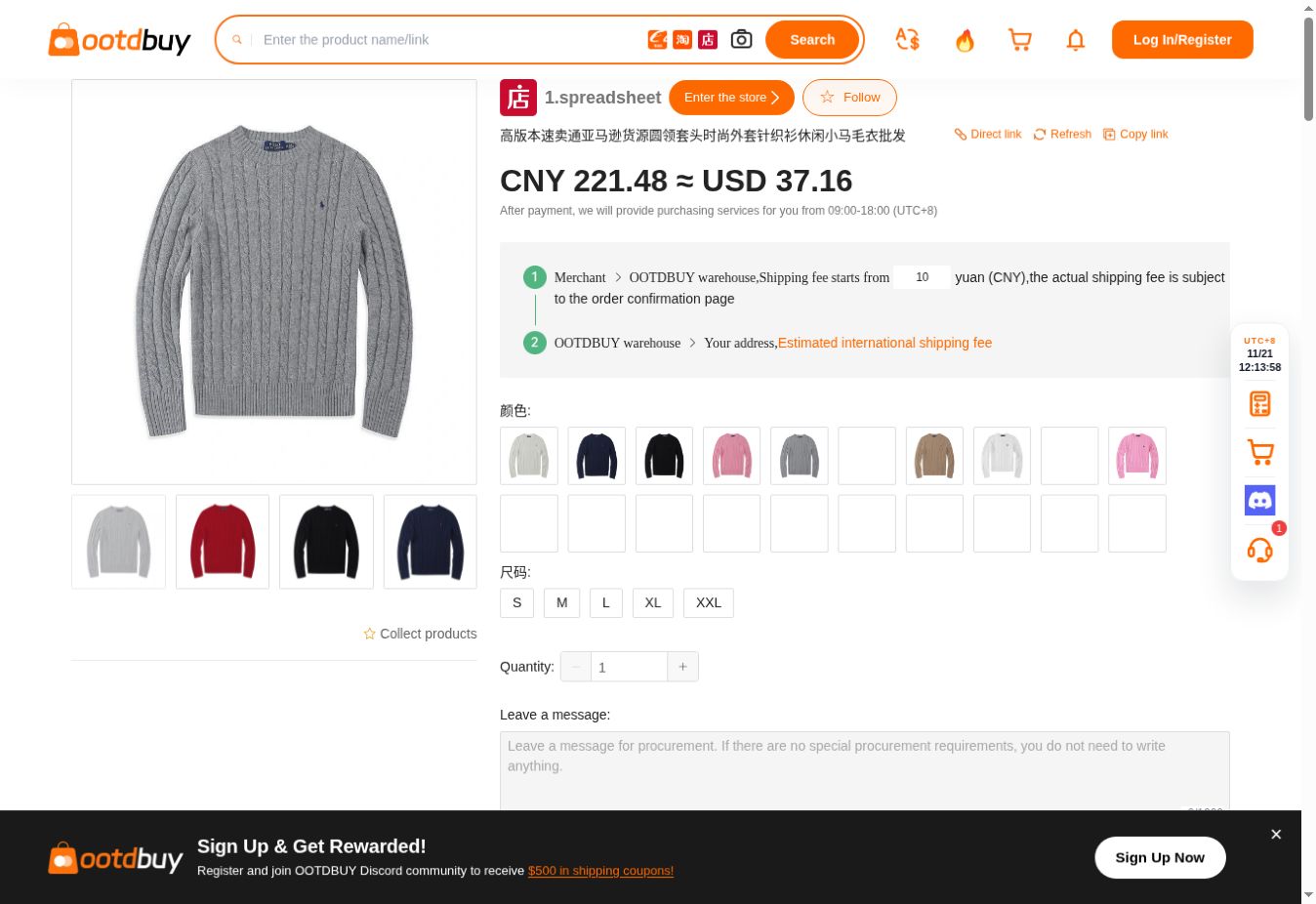
On the agent’s product page, confirm that the listing matches, then choose color, size and quantity. Use the seller’s size chart rather than your usual size. Add to cart to group items or use Buy Now for a single order.
Live Ootdbuy product page for the same item.
4
Review the item payment
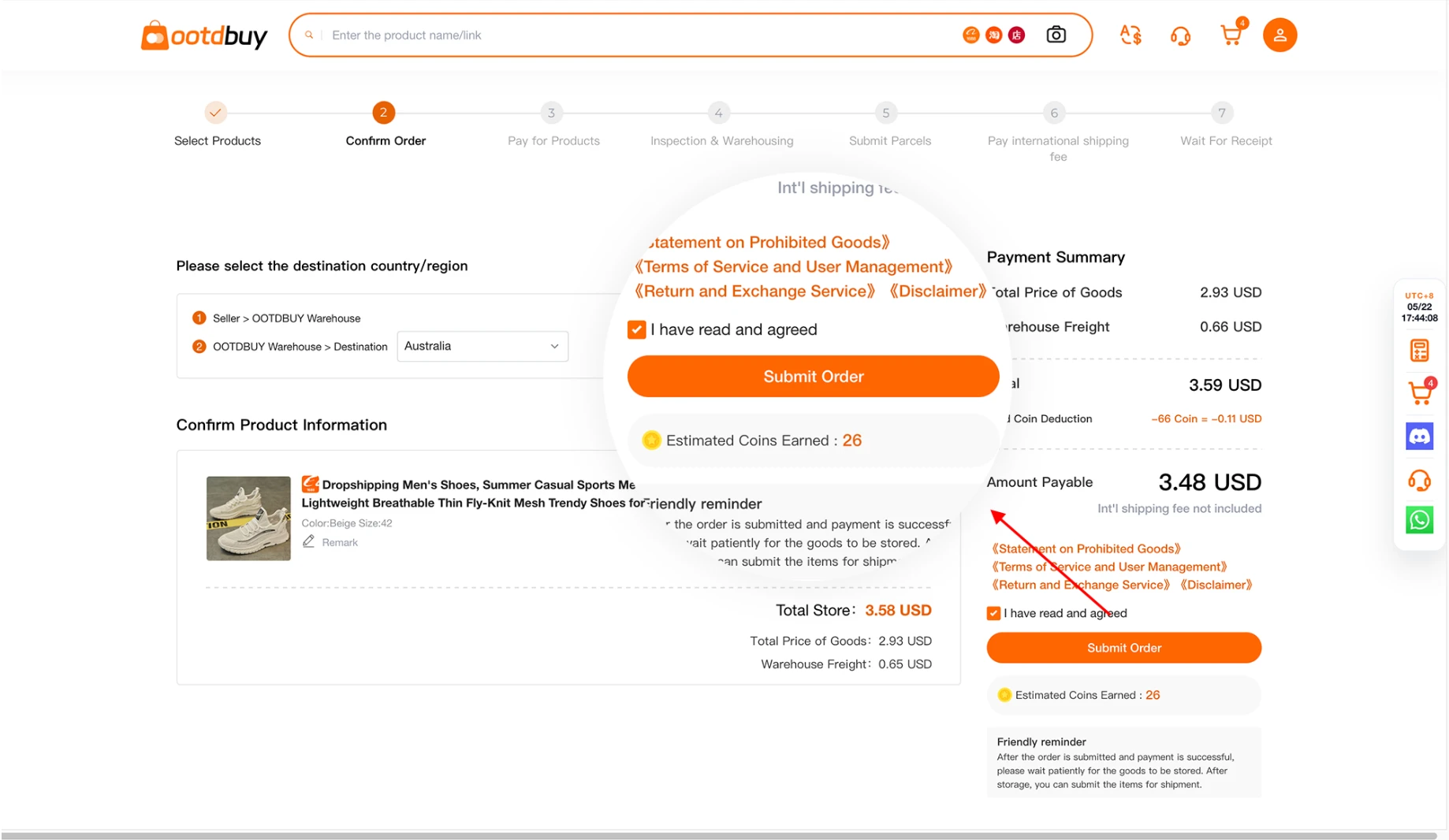
Review the order lines, domestic delivery and any selected services. Add purchase notes before submitting. The international parcel quote comes later, once you choose the destination, package and route.
Ootdbuy’s public tutorial shows the item-order payment screen. Official novice guide
5
Review warehouse photos before shipping
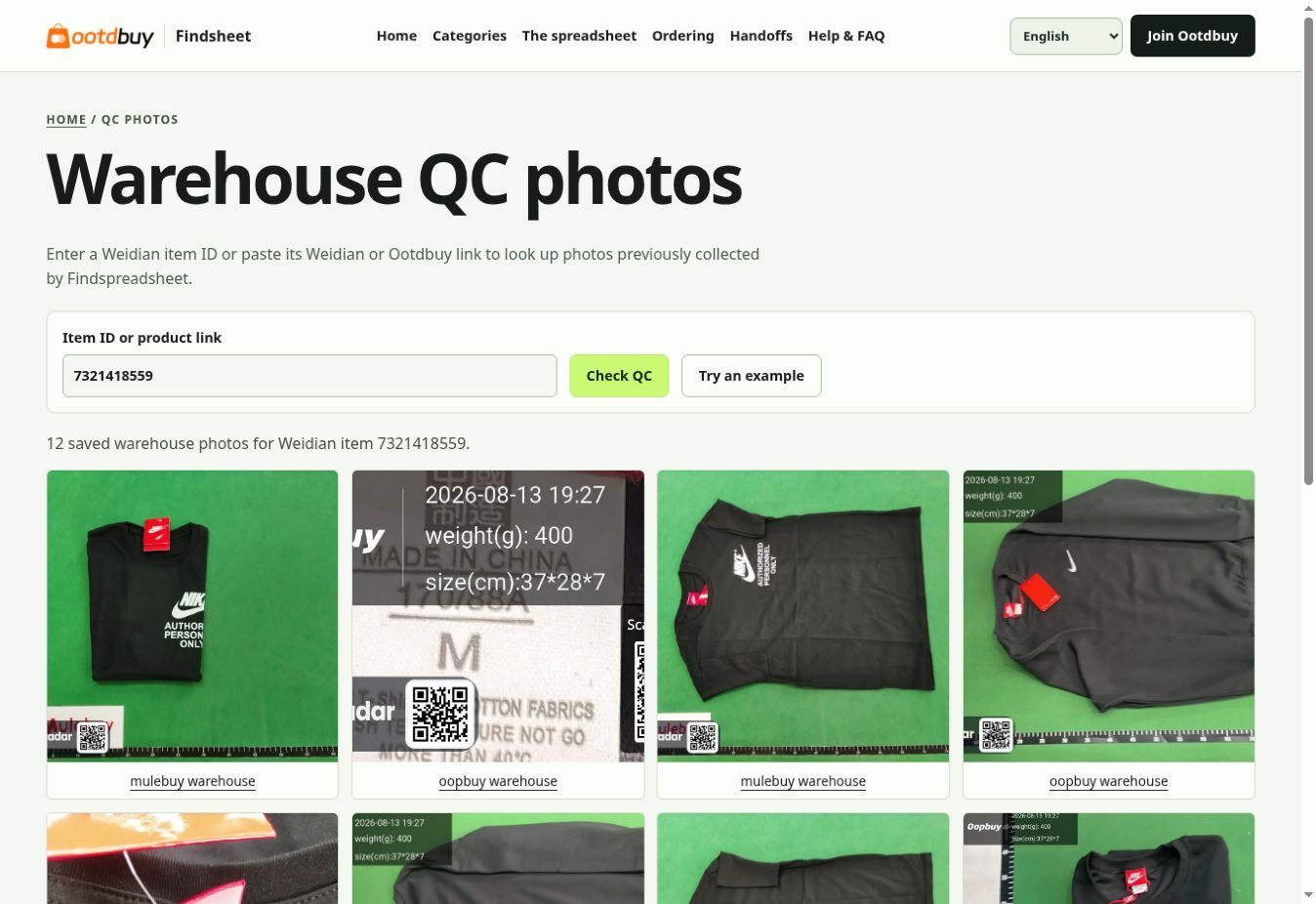
When the order reaches your warehouse, open your own inspection record. Compare the received variant and quantity with your order. If there is a mismatch, contact the agent before including the item in an international parcel.
Saved warehouse photos on Findsheet. Your own order photos are in your Ootdbuy account.
6
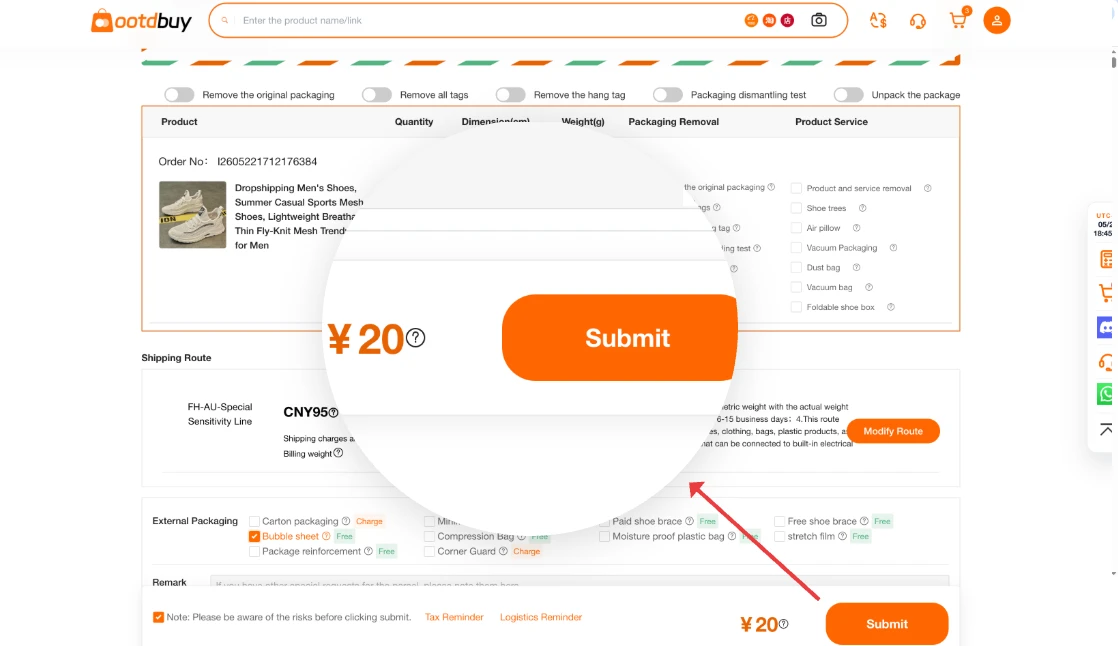
Submit a parcel or request rehearsal packing
Select the stored items for shipment, enter the overseas address, and compare available lines. Rehearsal packing gives you a packed quote before choosing how to proceed. Creating a waybill can instead start with prepaid freight that is adjusted after packing.
Ootdbuy’s public tutorial shows the rehearsal packing workflow. Official novice guide
7
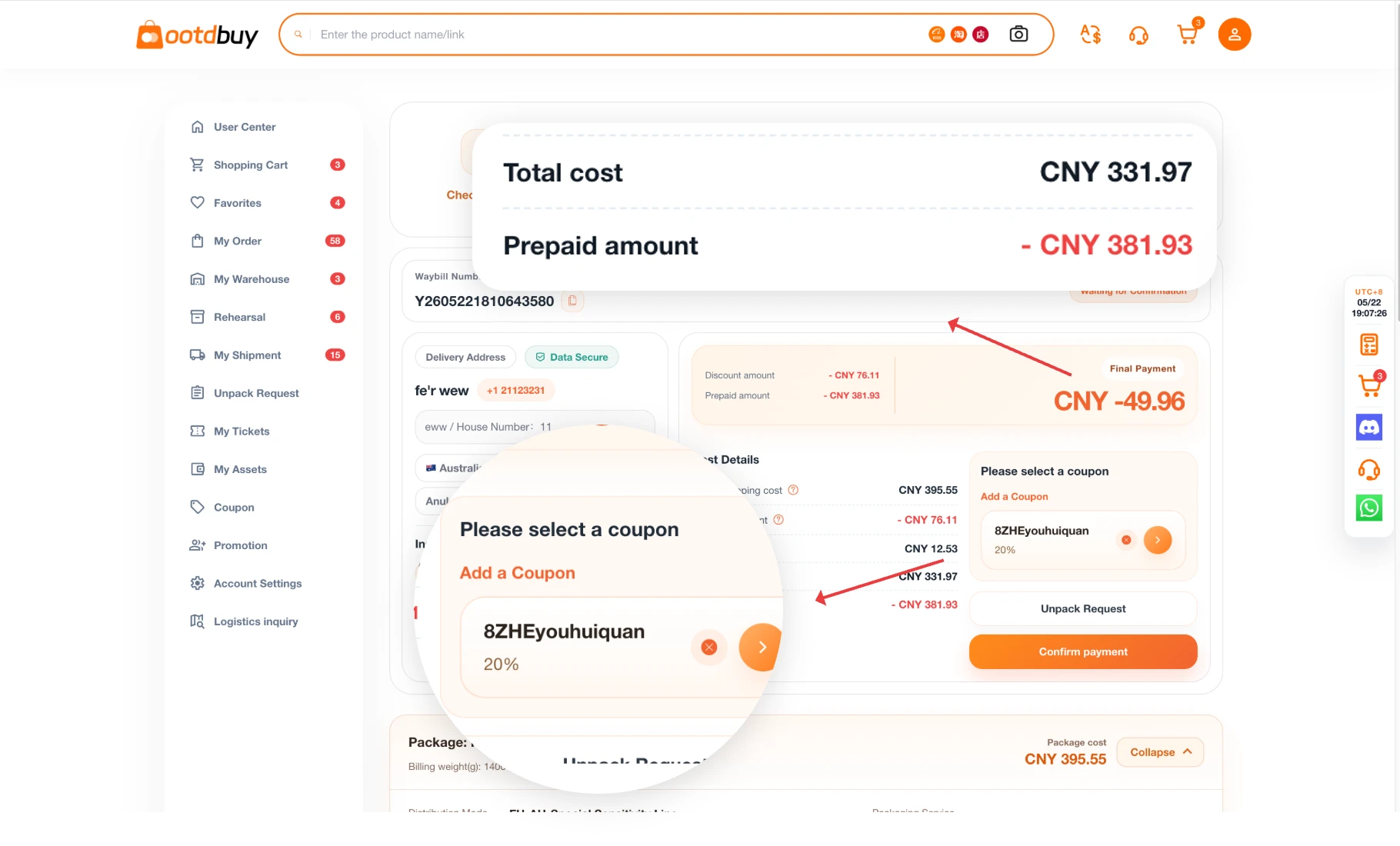
Confirm freight and the final parcel details
Check the packed weight, dimensions, address, carrier restrictions and any extras. If there is a prepaid balance, compare it with the final amount. A shortfall can require another payment, and an excess is handled according to the checkout rules.
The official tutorial shows where to check final international freight. Official novice guide
8
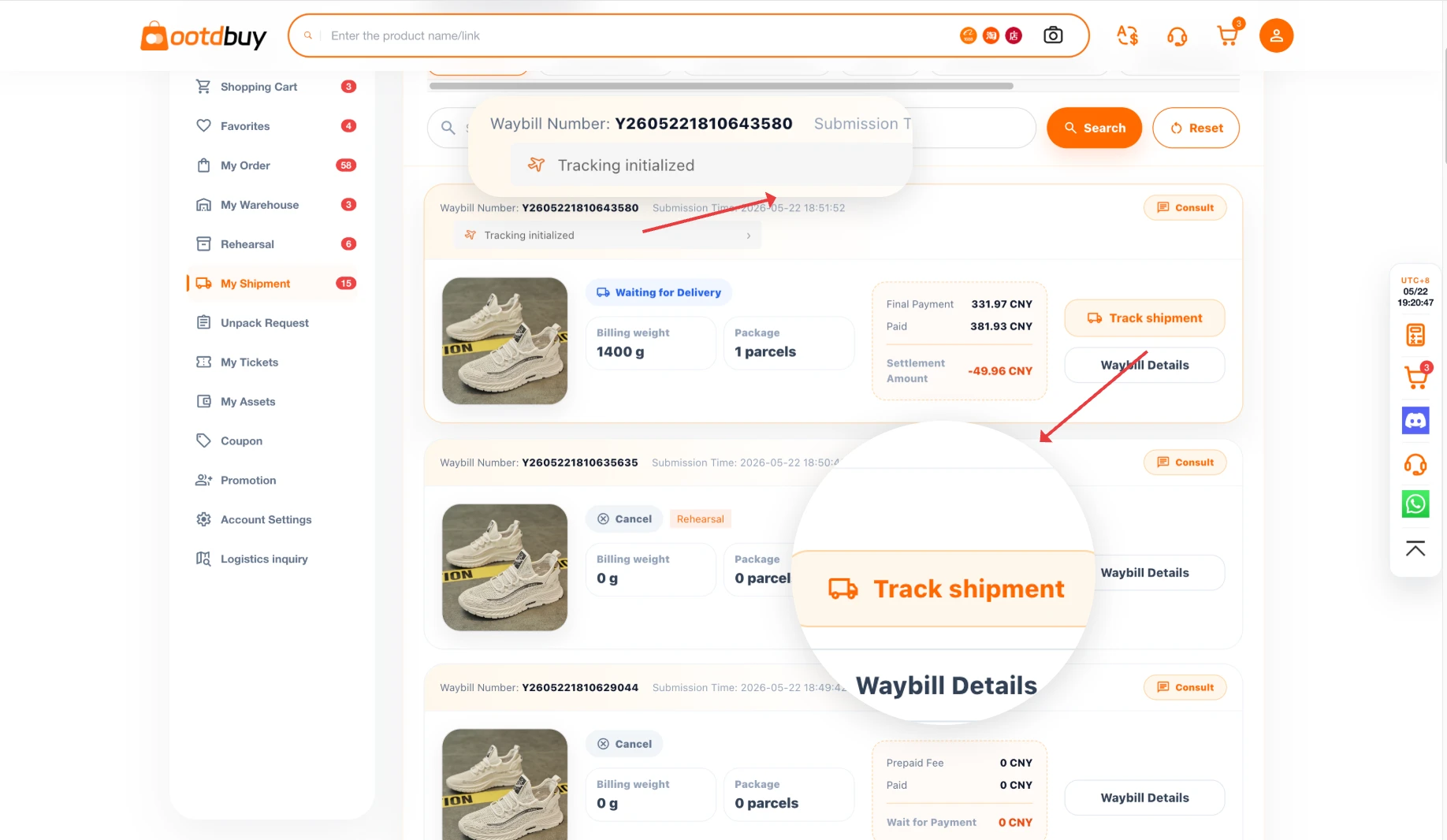
Track delivery and keep the records
After dispatch, open your parcel in the account and review its tracking details. Save the parcel number, shipping line and any support case. If there is damage or a missing item, keep the packaging and document what arrived.
The official tutorial shows the dispatched parcel and tracking area. Official novice guide
Who pays and when
Item order
Review the item subtotal and any domestic delivery charge shown on Ootdbuy before you place the order. The price displayed in Findsheet is a reference estimate.
International shipment
Check the parcel quote after choosing your destination, packing options and shipping line. Use the packed dimensions and weight to compare quotes.
Destination charges
Check the shipping line terms for how duties and import taxes are handled. These costs depend on the destination and carrier service.